Integrating with your Calendar
Last updated: August 4, 2026
System Integration
Connecting your systems is essential to use Evie to its full potential. Without these integrations, Evie cannot access your calendar or update client records automatically.
Why Integration Matters
The Outlook and Google Calendar integrations allows Evie to see your calendar and automatically detect upcoming meetings with video call links. Without a connected calendar, Evie has no way of knowing when your meetings are happening. You'd need to invite the bot manually every single time, which defeats the purpose of automatic note-taking.
Once your calendar is connected, Evie sees your scheduled meetings, recognises the video call link, and joins on your behalf — no manual invites, no missed recordings, no last-minute scrambling before a client call.
How to Connect Your Systems
Log in to your Evie account at https://app.advisoryai.com/home/
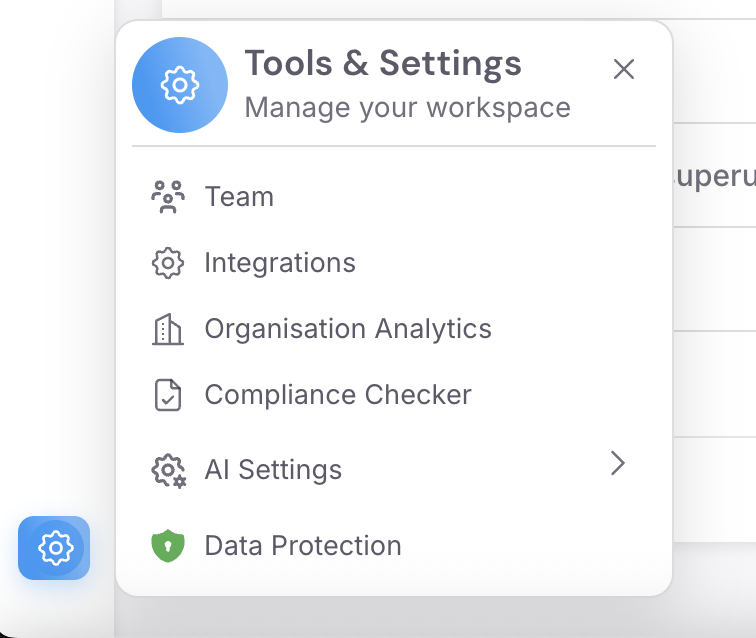
Click on the Settings icon and click on "Integrations" tab on the left-hand side navigation menu
Find your calendar provider and click Connect next to Outlook or Gmail
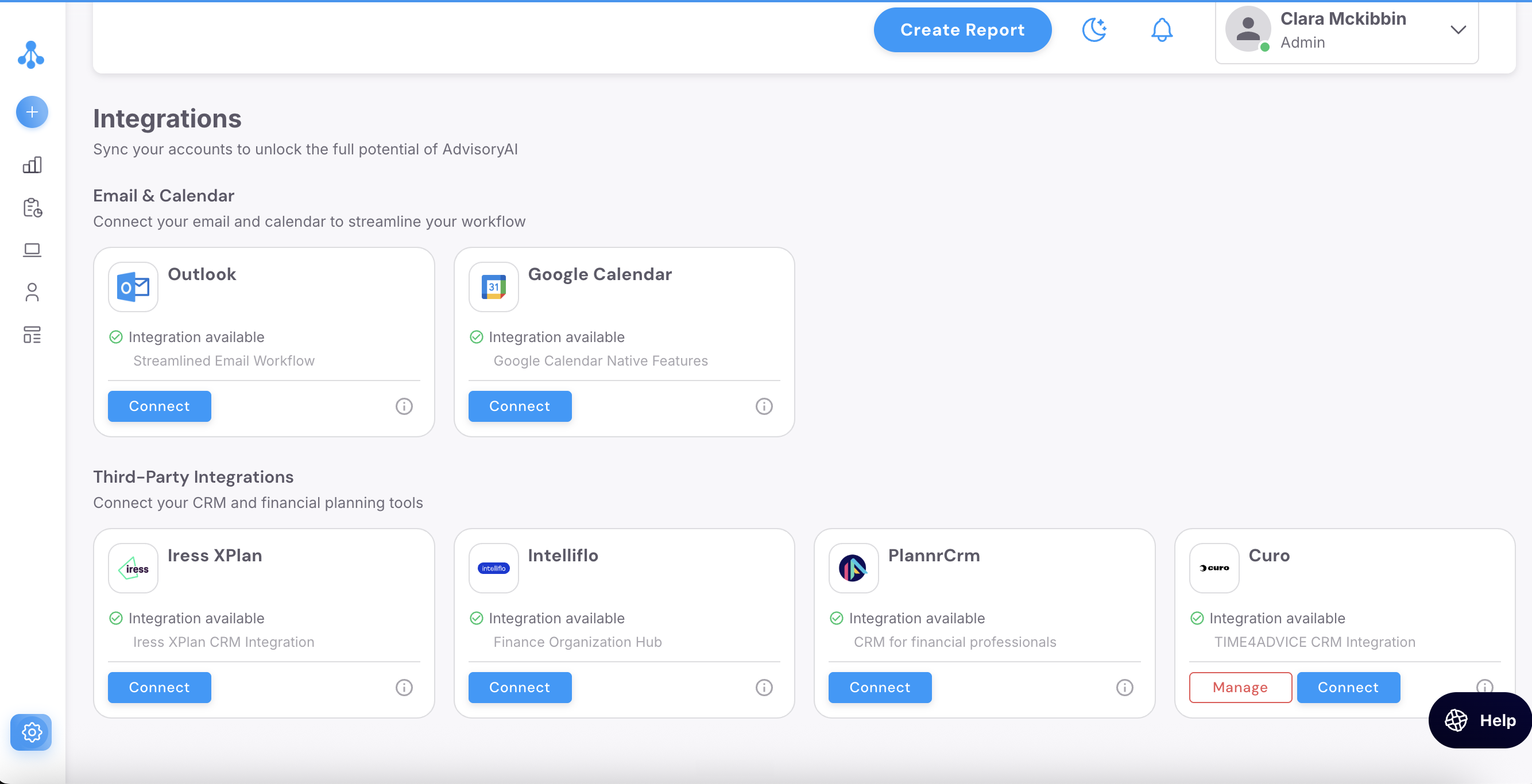
Follow the authentication prompts to link your account
Important: Complete both integrations as soon as possible after setting up your account. Without Outlook connected, Evie cannot detect your meetings. Once connected, your upcoming meetings will start appearing automatically, and Evie will join them as they happen.
Things to Consider
Permissions
Sometimes Evie won't join a meeting even though your calendar is connected correctly. This is almost always down to meeting permissions set up on Microsoft or Google, and it's most common with Microsoft Teams.
By default, some organisations restrict meetings so that only signed-in users can join. Since Evie joins as a bot rather than a signed-in colleague, this setting blocks it before it ever gets near the call.
If this is posing an issue, please speak with your Teams admin, who can look to change this setting in the Teams admin centre
Admitting Evie from the Lobby
Some organisations still require the host to manually admit anyone joining from outside, even with anonymous access enabled. Check your meeting lobby — Evie may be sitting there waiting for admission.
Please Note: It's worth keeping both Outlook and Teams up to date, since older versions can behave inconsistently with third-party bots joining calls.
Other Platforms
For the moment, AdvisoryAI currently integrates with Outlook and Google Calendar, covering the platforms the vast majority organisations in the industry use. If your organisation uses a different calendar provider, please let us know at support@advisoryai.com, we're always open looking to expand our services over time.