How to set up and manage joint clients
Last updated: August 4, 2026
Joint clients let you link two related client records together - spouses, family members, or business partners — so their information such as meeting history or reports can sit under one connected relationship.
How to Link Two Clients
Joint clients are linked from within a client's own record. To link two clients:
Open the first client's profile,
Go to the joint clients section,
Add the second client along with the relationship type that applies.
Once linked, the relationship works both ways — if you link Client A to Client B, Client B shows as linked to Client A automatically, without needing to repeat the process from their side.
Who Can Link Clients
Only the adviser who owns a client can view, add, or remove that client's joint client relationships. You can only link clients you own — you can't link your client to another adviser's client, even if you're both in the same group. If two advisers at the same firm need to see each other's linked clients, that typically needs to be set up through a shared or supervisor-level account rather than the standard joint client link.
Joint Clients and Reports
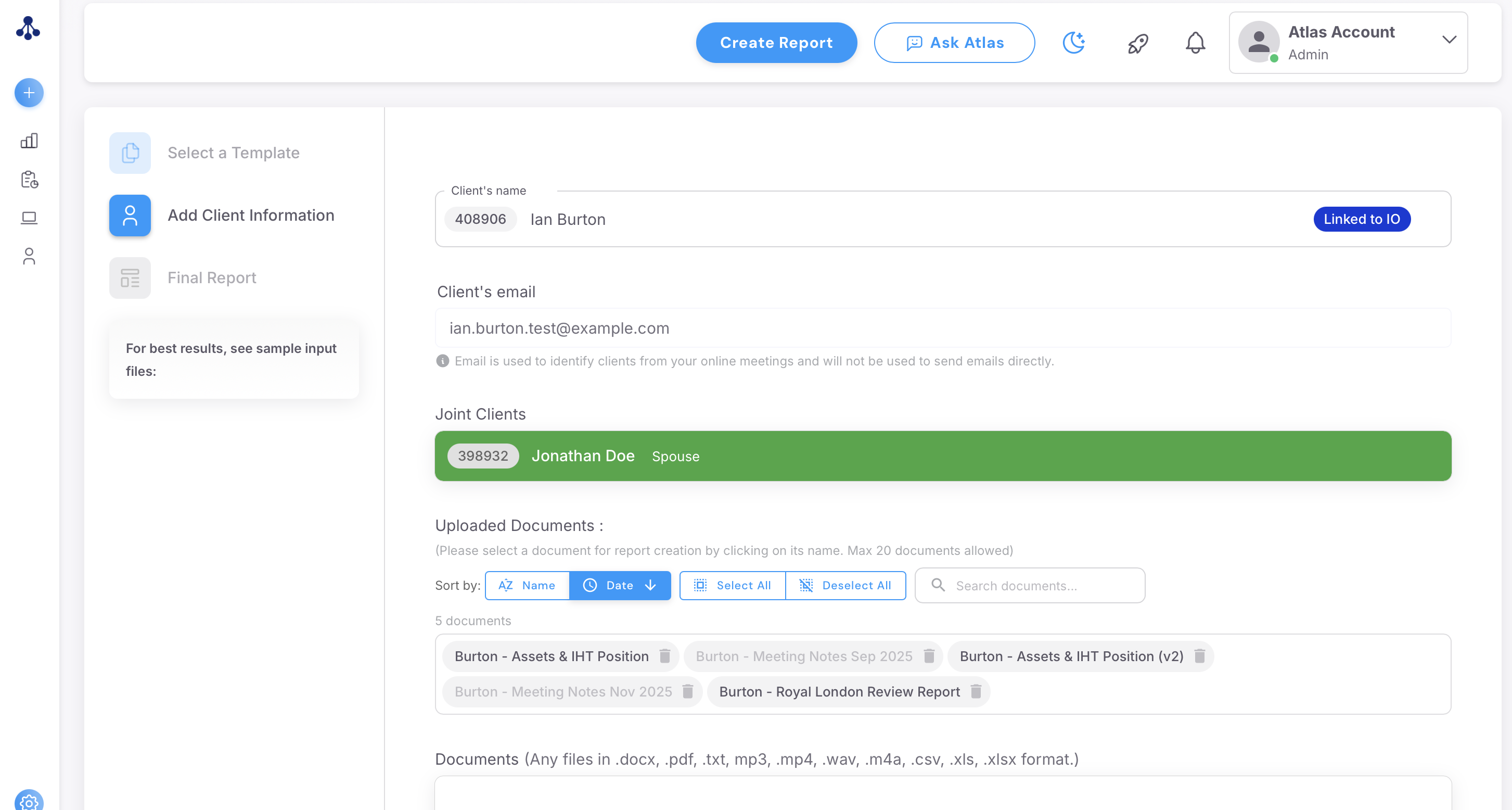
Once two clients are linked, reports and letters can reference both of them, provided the template supports it.
Merging Joint Clients Into a a Singular Record
If you already have two separate profiles, that you want to merge into one linked client profile (e.g: a single merged profile called John and Jane Doe), email support@advisoryai.com with the clients involved and confirm you'd like them merged, and the team can do this for you.